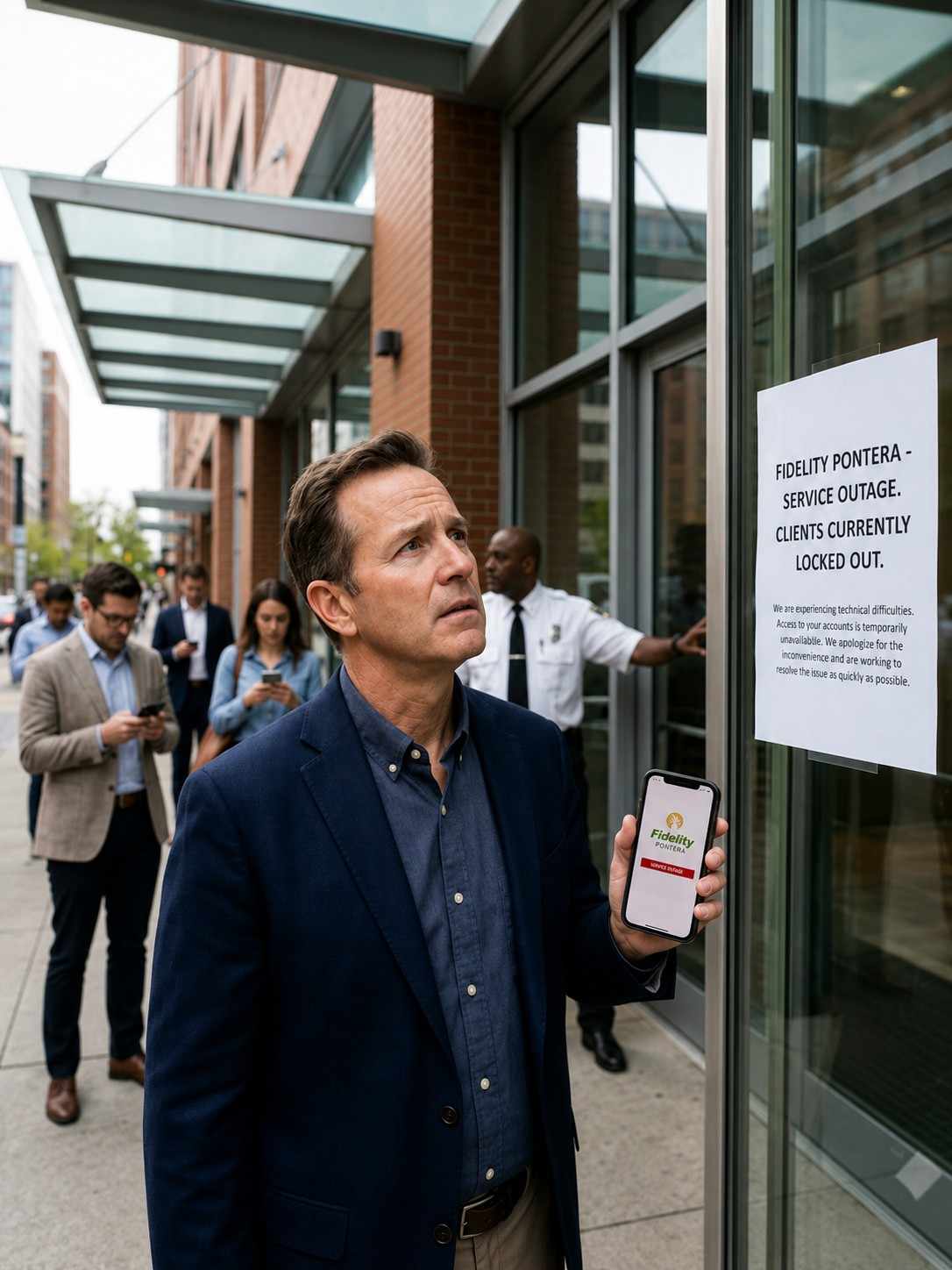
Imagine logging into your retirement account and finding you can’t see a single number. No balance. No login. Nothing. That’s exactly what happened to a wave of Fidelity customers in late 2025, and it’s why so many people are searching for answers about Fidelity Pontera clients locked out of their own 401(k) accounts.
This isn’t a hacking scandal or a tech glitch. It’s a real, ongoing standoff between Fidelity, one of the largest retirement account providers in the country, and Pontera, a fintech platform that lets independent financial advisors manage clients’ workplace retirement accounts. Caught in the middle are everyday savers — some in their 60s, closing in on retirement — who suddenly couldn’t check their own money.
If you’re one of those people, or you’re just trying to understand what’s going on before it affects you, this guide breaks down exactly what happened, why it happened, and what you can actually do about it.
Table of Contents
- What Is the Fidelity Pontera Lockout
- How the Lockout Actually Works
- Why Fidelity Made This Change
- Key Players: Fidelity, Pontera, and Advisors
- Pros and Cons of the Policy
- Real-World Example: A Client’s Story
- Is There a Cost to Getting Locked Out
- User Experience: What Affected Clients Report
- Safety and Security: Who’s Right
- Alternatives for Managing a 401(k) With an Advisor
- Expert Analysis
- How to Restore Your Fidelity Account Access
- Frequently Asked Questions
- Final Verdict
What Is the Fidelity Pontera Lockout?
Quick definition: The Fidelity Pontera lockout refers to Fidelity’s decision to cut off online account access for customers who used Pontera, a third-party platform, to let an independent financial advisor manage their 401(k) without being part of Fidelity’s own advisor network.
Pontera works by letting advisors log into a client’s held-away retirement account — meaning an account Fidelity holds but doesn’t manage directly — to rebalance investments, monitor performance, and give advice. The advisor never sees the client’s actual password; Pontera shields it through its own credential-sharing technology.
Fidelity decided this kind of access creates a security risk. Starting in 2024 and ramping up through 2025, Fidelity began restricting and, in many cases, fully blocking online access for accounts connected to Pontera and similar platforms. Pontera says the lockout affects Fidelity clients who reached out to independent financial experts not affiliated with Fidelity for help managing their retirement funds, and a senior Pontera official said tens of thousands of 401(k) participants who chose to work with an advisor outside the Fidelity network were affected.
What Is the Loc8 Versa MagSafe Money Clip Wallet?
Key Takeaways
- Fidelity blocked online account access for customers using Pontera and similar credential-sharing platforms.
- The change began rolling out around September 2024 and intensified through 2025.
- Fidelity calls it a security upgrade. Pontera calls it anticompetitive.
- Affected accounts are mostly 401(k)s managed by outside, independent financial advisors.
- Access can typically be restored, but it usually requires a phone call to Fidelity.
How the Lockout Actually Works
Here’s the practical chain of events, step by step:
- A client hires an independent financial advisor who isn’t part of Fidelity’s advisor network.
- That advisor uses Pontera (or a comparable tool) to connect to the client’s Fidelity-held 401(k) without ever seeing the client’s actual login credentials.
- Fidelity’s systems flag this kind of third-party credential-sharing connection.
- Fidelity contacts the client, often by email or letter, warning that continued use of the third-party tool could trigger a lockout.
- If the connection continues, Fidelity disables the client’s online portal access — meaning the client can no longer log in to view balances, statements, or holdings through Fidelity’s website or app.
The retirement dispute escalated when Fidelity began enforcing a new policy restricting access for third-party financial advisors, leaving clients to discover they had lost online access to their 401(k) accounts simply for getting outside help.
Importantly, this isn’t a freeze on the money itself. The funds remain invested and untouched. It’s specifically the online viewing and self-service login that gets disabled.
Why Fidelity Made This Change
Fidelity’s official position centers on data security. Back in September 2024, Fidelity expressed concern about the risks of credential sharing, particularly when it allows third parties to take high-risk actions such as executing trades inside customer accounts, and warned it would stop platforms that rely on credential sharing from accessing and acting on customer accounts.
In plain English: when an advisor logs in using a shared or proxied credential instead of a secure, authorized connection, Fidelity argues it can’t fully verify who’s actually behind the screen, or guarantee that the access is limited to what the client intended. Fidelity has framed the change as protective rather than punitive, aimed at reducing the chance of unauthorized trades or data exposure.
Fidelity isn’t alone in this stance either. According to InvestmentNews, Schwab has also begun forcing clients to reset their login credentials to limit third-party access to accounts, though Pontera maintains Fidelity stands alone in actually locking thousands of consumers out of their own accounts.
Moneynewsweb: Smart Finance Insights for the Digital Generation
Key Players: Fidelity, Pontera, and Independent Advisors
| Player | Role | Position on the Lockout |
| Fidelity | Custodian holding the 401(k) assets | Says the policy protects customer data and account security |
| Pontera | Fintech platform connecting outside advisors to held-away accounts | Calls the lockout anticompetitive and harmful to consumer choice |
| Independent advisors | Manage client accounts via Pontera, outside Fidelity’s network | Mixed reactions; some have switched workflows, others are frustrated |
| Affected clients | 401(k) holders who chose outside advisors | Many report stress, confusion, and difficulty reaching support |
Understanding these four groups helps explain why this isn’t a simple “Fidelity is wrong” or “Pontera is wrong” story. It’s a genuine clash between platform security policy and consumer choice in how people manage their retirement money.
Pros and Cons of Fidelity’s Policy
Pros
- Reduces the risk of unauthorized trades through shared credentials
- Limits exposure of personal account data to third-party systems
- Gives Fidelity tighter control over who accesses sensitive retirement data
- Pushes the industry toward more secure, standardized advisor access methods
Cons
- Locks legitimate account holders out of viewing their own money
- Creates confusion, since warning notices were sometimes mistaken for scams
- Disrupts existing advisor relationships clients had already chosen and trusted
- Restoring access typically requires a phone call, which can mean long wait times
- Critics argue it limits consumer choice in who manages their retirement savings
Real-World Example: A Client’s Story
One of the clearer illustrations of how this plays out involves Kelly Havins, a 63-year-old Phoenix resident. Havins told The New York Times he turned to a Pontera-connected financial advisor because, when it comes to managing his 401(k), he simply didn’t have the time or background to do it himself. When Fidelity reached out to warn him about a possible lockout, he initially assumed it was a scam attempt. It wasn’t, and after some back-and-forth, he ultimately lost his online account access and had to work directly with his advisor to get it restored.
This case captures the core problem: real warnings from a legitimate financial institution can look identical to phishing attempts, which means some people may have ignored Fidelity’s notices entirely, only to be caught off guard when access actually disappeared.
Is There a Cost to Getting Locked Out?
There’s no direct fee tied to the lockout itself. You won’t be charged for losing access, and your investments keep growing or shrinking with the market exactly as they would otherwise. The “cost” is more practical:
- Time spent on the phone with Fidelity support
- Possible delays in checking your balance during volatile markets
- Potential advisory fees if your advisor needs extra time to help resolve account access
- The stress of not knowing your account status during the process
User Experience: What Affected Clients Report
Across multiple news reports, a consistent pattern shows up. One Pontera executive noted that losing access to an online account adds real financial stress, especially for people who can’t see how much money they have, which understandably feels stressful.
Financial advisor John Rathnam summed up the frustration many clients feel about being unexpectedly cut off from what is, for most people, their largest savings account. Several clients described the experience as confusing at best and alarming at worst, particularly older savers nearing retirement who check their balances regularly.
On the other side, Fidelity has pushed back on the framing. The company disputed claims about the scale and nature of the lockout, calling certain characterizations factually inaccurate, and described the change as a security measure made with customers’ best interests in mind to enhance protection and reduce data exposure.
Safety and Security: Who’s Right?
Both sides have a legitimate point, which is part of why this story has gotten so much attention.
Fidelity’s argument holds up technically. Credential sharing, where a third party logs in using your actual username and password (or a system that mimics that access), is a known security weak spot in the financial industry. If Pontera’s system is ever compromised, in theory that could expose connected accounts.
Pontera’s argument also has merit. Their platform is specifically designed to avoid the worst version of credential sharing. Advisors using Pontera never see a client’s actual login details, and the platform is built to prevent advisors from taking high-risk actions like unauthorized fund transfers. From Pontera’s perspective, treating their secured connection the same as raw, unprotected credential sharing isn’t a fair comparison.
For everyday readers, the practical safety lesson is this: regardless of which company is “more right,” it’s always worth understanding exactly how any third-party tool connects to your retirement account, and asking your advisor directly how your login information is protected.
Alternatives for Managing a 401(k) With an Outside Advisor
If you’re worried about facing a lockout, or you’ve already been locked out and want a different path forward, here are some realistic options:
- Ask your advisor about direct account reviews. Some advisors now schedule video calls and screen-shares with clients to review and rebalance accounts together, avoiding third-party login tools entirely.
- Check if your advisor is part of Fidelity’s approved network. Advisors registered directly with Fidelity typically don’t trigger the same restrictions.
- Consider an SEC-registered RIA with its own secured access methods. Some firms, unlike fintechs such as Pontera, are SEC-registered investment advisors regulated differently, which can affect how they’re permitted to connect to held-away accounts.
- Use Fidelity’s own advisory services. If staying fully within Fidelity’s ecosystem matters to you, their in-house advisory options avoid the third-party access issue altogether.
- Request periodic statement exports. Some advisors can work from PDF statements or manual updates rather than live login access, though this is less efficient.
Expert Analysis
From an industry-watching standpoint, this dispute reflects a much bigger trend: financial custodians are tightening control over who can technically “touch” customer accounts, even when that touch is well-intentioned. Schwab has followed a similar path, requiring clients to reset login credentials to limit third-party vendor access to retirement and other accounts, suggesting this isn’t a one-company issue but a shift across the brokerage industry.
At the same time, Pontera has not backed down quietly. The company has publicly maintained that Fidelity stands alone in actually locking thousands of consumers out of their own accounts, framing the dispute as one of consumer choice versus institutional control.
For regular savers, the realistic takeaway is that this tension probably isn’t going away soon. Expect more custodians to introduce stricter verification standards for third-party advisor access, which means anyone using an outside advisor should proactively ask how that advisor connects to their account, rather than waiting for a lockout notice to find out.
How to Restore Your Fidelity Account Access
If you’ve already been locked out, here’s the practical path back in:
- Don’t ignore notices from Fidelity. They can look like spam, but verify by calling Fidelity directly using the number on your card or statement, not a number from the email itself.
- Call Fidelity support directly. A Fidelity spokesperson told InvestmentNews that the company only blocks online access, and that a direct phone call with a company representative will help customers restore it.
- Loop in your financial advisor. Many clients, like Havins, needed to work with their advisor alongside Fidelity to fully resolve the issue.
- Ask what triggered the block. Get a clear answer on which platform or connection caused the restriction so you can avoid repeating it.
- Confirm the new access setup. Before hanging up, make sure you understand exactly how your account will be accessed going forward, by you and your advisor.
FAQ
Q: Why did Fidelity lock me out of my 401(k) account? A: Fidelity restricts online access for accounts connected to certain third-party platforms, like Pontera, that allow outside financial advisors to manage your account using credential-sharing technology. Fidelity says this protects your data and reduces security risk.
Q: Is my money safe even though I’m locked out? A: Yes. The lockout only affects your ability to log in and view your account online. Your actual investments and balances remain untouched and continue to track the market as normal.
Q: How do I get my Fidelity account access back? A: Call Fidelity support directly to verify your identity and request restoration. Many clients also need to coordinate with their financial advisor to fully resolve the issue.
Q: Is Pontera a scam? A: No. Pontera is a legitimate fintech platform used by many independent financial advisors to manage held-away retirement accounts. The dispute with Fidelity is about access policy, not fraud.
Q: Will this happen again if I keep using my outside advisor? A: It’s possible, unless your advisor changes how they connect to your account or you switch to an advisor within Fidelity’s approved network. Ask your advisor directly about their access method.
Q: Are other brokerages doing this too? A: Yes. Schwab has also required clients to reset login credentials to limit similar third-party access, suggesting this trend extends beyond Fidelity alone.
Q: Can I avoid this issue by managing my 401(k) myself? A: Yes, managing your own account directly through Fidelity avoids any third-party connection issue entirely, though you’d lose the ongoing professional guidance an advisor provides.
Q: Did Fidelity explain why it didn’t just warn customers instead of locking them out? A: Fidelity says it does send warnings before restricting access, but some clients reported missing or mistaking these notices for scam attempts, leading to lockouts that felt sudden from the client’s side.
Final Verdict
The Fidelity Pontera clients locked out situation isn’t a simple villain-and-victim story. It’s a genuine collision between legitimate security concerns and real consumer frustration. Fidelity has a reasonable case for tightening control over third-party credential access. Pontera has a reasonable case that its technology was built specifically to avoid the risks Fidelity is worried about, and that ordinary savers are paying the price for a dispute they didn’t create.
If you’ve been affected, the fix is usually straightforward, even if it’s annoying: call Fidelity, verify your identity, loop in your advisor, and get clarity on how your account will be accessed going forward. If you haven’t been affected yet but use an outside advisor, ask now how they connect to your Fidelity account, before a lockout notice catches you off guard.
This is a fast-moving dispute, and policies on both sides could shift again. Your best move is staying proactive: know your advisor’s access method, keep Fidelity’s real contact number saved, and don’t dismiss security notices without verifying them first.